
Server monitoring health checks combine continuous tracking of CPU, memory, disk, and uptime with automated alerting that flags problems before they become outages. Businesses in industries like manufacturing, law, logistics, and financial services benefit from continuous monitoring paired with regular reviews to catch failures early. This approach cuts downtime and keeps operations running without surprise disruptions.
Key Takeaways
- Server monitoring continuously tracks health, performance, and availability to prevent unexpected downtime.
- Health check alerts monitor specific metrics like API status and CPU usage on deployed instances.
- Early warning systems from monitoring help identify issues before they impact your operations.
- TekNation recommends combining internal and external checks to maintain reliable system uptime.
What Does Server Health Monitoring Actually Catch?
Server health monitoring catches the small warning signs that precede a major failure. At its core, server uptime monitoring tracks a server’s health, performance, and availability on a continuous basis, rather than checking in only when something breaks. Manufacturing plants, law offices, logistics hubs, and financial firms all depend on servers running quietly in the background, so problems tend to hide until they cause real damage.
Effective server performance monitoring msp work replaces guesswork with real-time visibility. Instead of waiting for a slow application or a failed login to prompt a phone call, monitoring tools surface the underlying cause immediately. That visibility typically covers:
- Resource strain, such as CPU or memory usage climbing toward capacity
- Storage space running low before it halts operations
- Network connectivity drops that interrupt file access or remote work
- Application or service failures on the server itself
What happens when monitoring catches a problem early?
Early detection triggers server monitoring alerts that flag an issue before it disrupts daily operations. A managed IT partner reviews the alert, diagnoses the cause, and resolves it — often before staff notice anything wrong. That proactive posture prevents the “surprise outage” scenario that costs firms billable hours or missed shipments.
Monitoring works best when tied to actual business priorities across infrastructure, cybersecurity, and cloud systems, not applied as a one-size-fits-all checklist.

How Often Should Health Checks Run?
Frequency depends on how the business uses its systems, not a fixed calendar rule. A manufacturer running production software around the clock needs a different rhythm than a law firm with standard office hours. What matters most is that server health checks scheduled consistently happen before problems surface on their own.
Left unscheduled, server trouble tends to hide in plain sight. Performance often has to visibly degrade before anyone notices something is wrong, which means the business absorbs the slowdown long before IT gets a call. Regular checks close that gap by catching drift in performance before it becomes downtime.
What actually goes into a health check?
A proper check isn’t a vague glance at a dashboard. It starts by defining a specific target — a server, application, or service — along with clear trigger conditions that flag when something falls outside normal range. Server monitoring alerts built this way catch issues early instead of after the fact.
Does the schedule need to be customized per business?
Yes. TekNation builds its server performance monitoring MSP approach around understanding each client’s specific systems. Daily workflows first, then setting check intervals around that reality. Being based in Douglasville, GA keeps technicians close to the West Georgia manufacturers, law firms, and logistics operations whose servers depend on steady server uptime monitoring and fast server alert response.
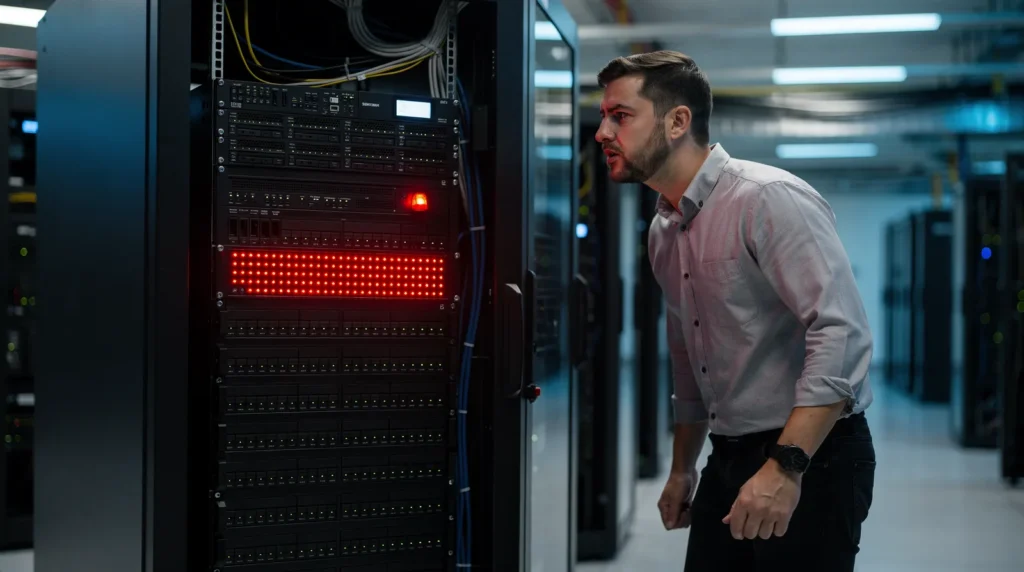
What Happens When A Server Alert Fires?
A triggered alert launches an immediate diagnostic sequence, not a routine notification to ignore. Trained technicians treat server monitoring alerts as the first checkpoint in a structured response, one that separates a minor blip from a genuine threat. Unusual spikes in resource consumption, for example, signal more than sluggish performance. They can point to malicious activity working its way through a network. Speed matters here: the sooner a potential compromise gets flagged, the sooner it can be isolated and resolved before it spreads.
That urgency shapes how a strong server alert response actually works. Technicians don’t just silence the noise; they investigate root cause, confirm scope, and act.
How fast should a server alert get a response?
Response speed determines whether a flagged issue stays contained or turns into an outage. Server performance monitoring msp teams build response times into their process specifically. Identification and containment happen back-to-back, not hours apart.
Does alert response differ by industry?
Regulated businesses feel the stakes most acutely. Financial advisory firms, for instance, operate where client trust, compliance obligations, and server uptime monitoring all intersect. A delayed response carries regulatory weight beyond the technical fix.
Multi-site operations add another layer. Construction firms running several job sites, offices, and remote crews at once need alert coverage that follows the work, not a single building. That reach is exactly why server health checks scheduled across every location matter as much as the alert itself.
FAQ
What does server health monitoring catch before it causes an outage?
Server health monitoring catches resource strain like rising CPU or memory usage, low storage space, network connectivity drops, and application or service failures on the server before they disrupt operations.
How often should health checks run?
Frequency depends on business usage rather than a fixed schedule. A manufacturer running production around the clock needs different timing than a law firm with standard office hours. Consistency matters most for catching performance drift early.
What does a proper health check actually involve?
A health check defines a specific target, such as a server, application, or service, along with clear trigger conditions that flag when performance falls outside the normal range, allowing alerts to catch issues early.
Conclusion
In closing, server monitoring health checks and alerting form the backbone of uptime and performance reliability. By implementing the right checks, configuring intelligent alerts, and responding systematically to notifications, you transform reactive firefighting into proactive management. Your infrastructure stays healthy, your team stays informed, and your business avoids the costly disruptions that downtime brings.
This proactive approach reflects how TekNation works with clients: partnering with mid-sized businesses to deliver deeply personalized, all-inclusive IT management that aligns technology with real operational goals. Through proactive support, strategic guidance, and a people-first approach, TekNation helps organizations turn IT into a powerful tool for growth, not just a system to maintain. The investment in solid monitoring discipline pays dividends across every operation.