
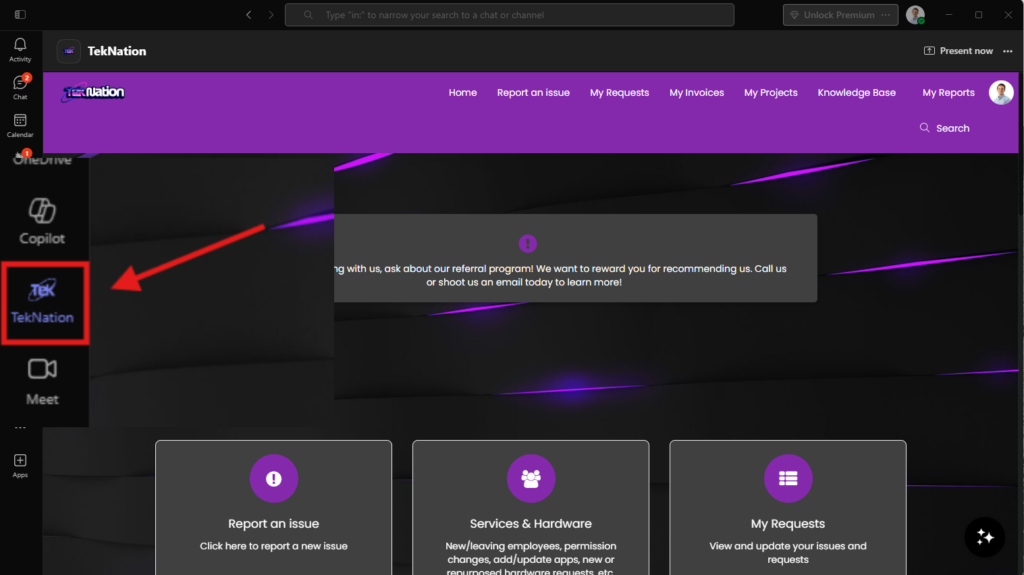
Accessing the TekNation Client Portal through Microsoft Teams is a straightforward process designed to enhance your user experience. Simply navigate to the Teams application, locate the TekNation integration, and follow the prompts to log in using your credentials.
Once logged in, you will have seamless access to all portal functionalities directly within Teams. This integration allows for efficient ticket submissions, invoice reviews, and project management without needing to switch between multiple applications, making your workflow more streamlined.
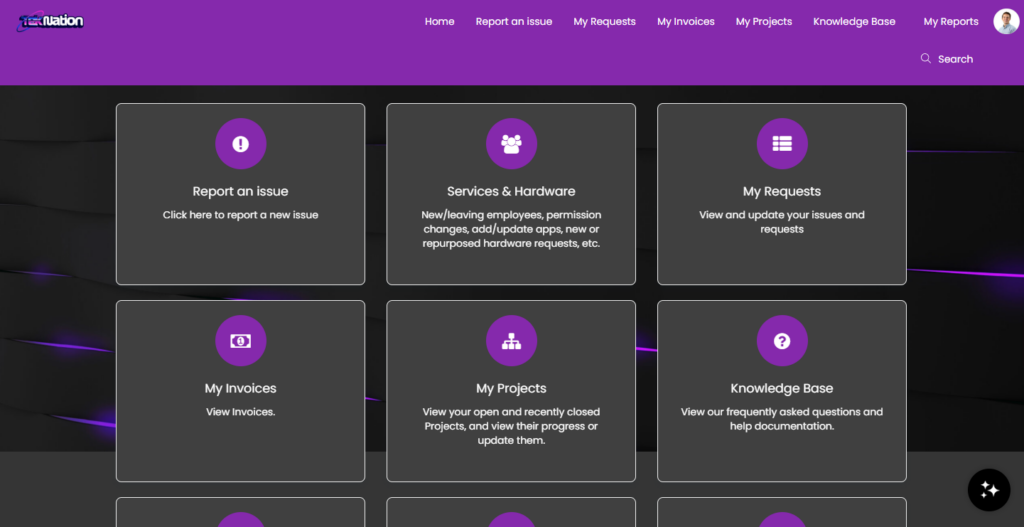
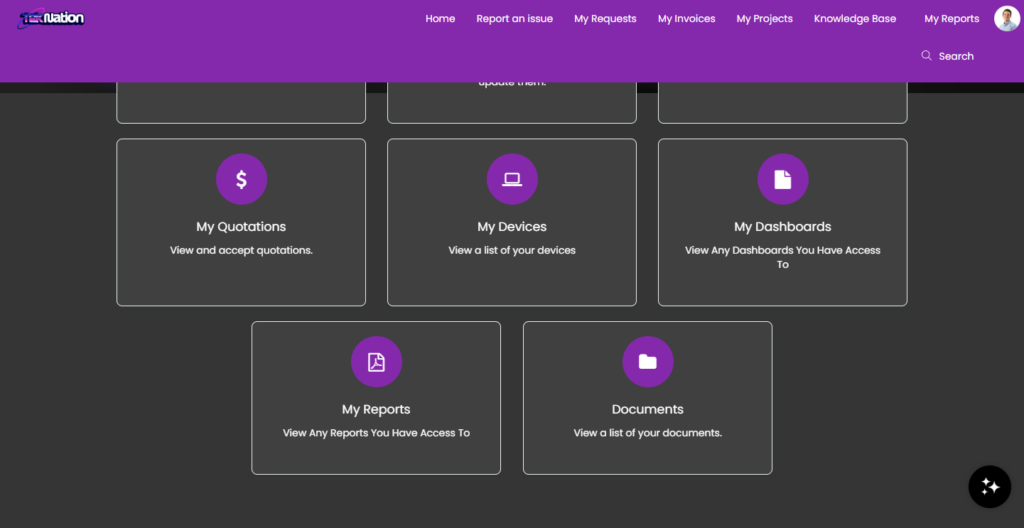
The TekNation Client Portal offers a variety of features aimed at enhancing your IT management experience. Key functionalities include the ability to submit support tickets, view invoices, and access a comprehensive knowledge base filled with helpful articles and guides.
In addition, users can manage their projects, approve quotations, and track device assignments all from a single interface. This centralized approach not only saves time but also ensures that you have all the necessary information at your fingertips, improving overall efficiency.
When encountering an issue, submitting a ticket through the Client Portal is quick and easy. Navigate to the 'Report an Issue' section, fill out the required details, and submit your ticket for prompt assistance from the TekNation support team.
The ticketing system is designed to keep you informed about the status of your requests, allowing you to track progress and receive updates in real-time. This ensures that your issues are addressed swiftly and efficiently, minimizing downtime and disruption to your business operations.
The Knowledge Base is a valuable resource where users can find How-To articles and troubleshooting guides related to TekNation services. This self-service option empowers users to find solutions to common issues and learn more about the features available in the Client Portal.
Regularly updated with new content, the Knowledge Base serves as a go-to reference for users looking to optimize their use of TekNation's services. Whether you need assistance with submitting tickets or understanding project management tools, the Knowledge Base provides comprehensive support at your convenience.