
Comprehensive Managed IT & Cloud Services in Fort Oglethorpe, GA: Your Trusted Partner for Network Security and Remote IT Support
By Caleb Nation, TekNation
In an age where technology underpins all business success, having reliable and efficient IT services has never been more critical. Many businesses struggle to maintain secure and efficient operations due to inadequate IT support, leading to heightened risks and operational inefficiencies. Fortunately, comprehensive managed IT and cloud services in Fort Oglethorpe, GA, can provide the necessary support to overcome these challenges. This article will explore the intricacies of managed IT services, spotlight their advantages for local businesses, and detail how effective network security measures and remote IT support can safeguard operations.
We’ll explore essential areas such as network security Fort Oglethorpe businesses depend on, the significance of remote IT support, benefits for local companies, and the offerings that make TekNation a trusted partner in this environment. With a thorough understanding of managed IT services for SMBs and their role in enhancing operational efficacy, small to medium-sized businesses in Fort Oglethorpe can glean valuable insights from this guide.
Network Security Measures
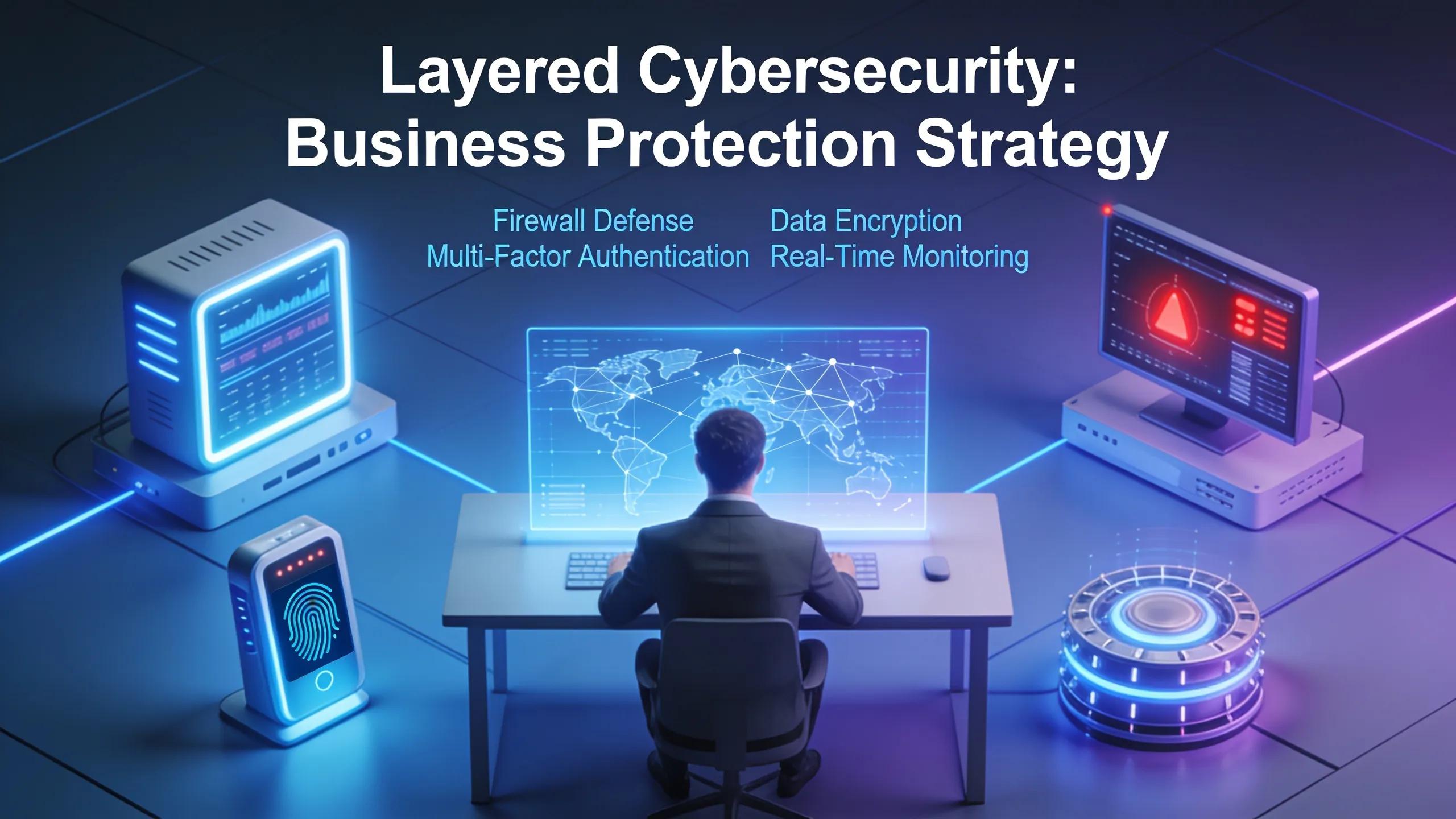
Effective network security measures form the backbone of any managed IT service, ensuring that sensitive data remains protected from threats. These measures encompass a wide range of strategies tailored to mitigate risks and respond to potential breaches quickly.
Layered Cybersecurity Strategies
Layered cybersecurity strategies involve multiple defenses designed to protect data throughout the IT network. Utilizing firewalls, intrusion detection systems, and endpoint protection, these strategies build a fortress around a business’s digital assets, significantly reducing vulnerability to external threats.
Continuous Monitoring
Continuous monitoring is essential for detecting any suspicious activities in real time. By analyzing network traffic and user behavior, IT professionals can quickly identify anomalies and respond proactively, minimizing the risk of data breaches and loss.
Incident Response Capabilities
Having strong incident response capabilities in place allows organizations to react swiftly in the event of a cyber incident. Developing a well-defined incident response plan enables businesses to minimize damage and restore operations with minimal downtime.
Significance of Remote IT Support

Remote IT support plays a crucial role in enhancing business productivity by offering timely assistance and interventions. Businesses can rely on expert support from anywhere without the need for an in-house IT team, greatly reducing overhead costs.
24/7 Monitoring
By providing consistent 24/7 monitoring, remote IT services can manage ongoing risks and secure systems against vulnerabilities. This ensures a company’s IT environment remains updated and safeguarded from emerging threats.
Proactive Issue Resolution
Proactive issue resolution allows teams to identify and fix potential problems before they escalate into significant issues. This approach minimizes downtime and keeps operations running smoothly, further enhancing efficiency.
Reduced Downtime
By leveraging remote IT support, businesses can experience reduced downtime, as technicians often address issues quickly without needing to be on-site. This results in faster problem resolution and enhanced operational continuity.
Establishing Trust as a Partner
Partnering with a managed IT service provider involves establishing a trustworthy relationship built on understanding client needs and delivering tailored solutions. TekNation builds that relationship with West Georgia businesses of 15 to 150 employees — manufacturers, law firms, logistics companies, construction firms, and financial services companies — starting with a free IT review that maps out where a business’s technology stands today.
Personalized Service Approach
A personalized service approach enables IT providers to adapt their offerings based on a company’s unique requirements. This leads to improved satisfaction as solutions resonate with the specific needs of the business.
Understanding Client Needs
A thorough understanding of client needs forms the foundation of effective service delivery. Regular assessments and open communication help ensure that the IT support aligns with evolving goals and challenges. TekNation formalizes this through quarterly business reviews and tech roadmaps that look two years ahead, so IT decisions stay pointed at where the business is actually going rather than just keeping the lights on.
Local Responsiveness
Being locally responsive allows managed IT providers to establish strong relationships with their clients. This proximity enables faster response times and a greater willingness to support businesses as they navigate technological challenges.
What Are Managed IT Services and How Do They Benefit Fort Oglethorpe Businesses?
Managed IT services encapsulate various offerings that simplify IT management, boost productivity, and secure digital assets effectively.
What are Managed IT Services?
Managed IT services involve outsourcing the management of IT functions to a service provider, such as TekNation, which oversees technical support, infrastructure, and cybersecurity measures. This arrangement allows businesses to focus on their core operations without the hassle of managing IT in-house. TekNation’s scope spans managed IT, 24/7 monitoring, Microsoft 365 and Azure cloud management, cybersecurity and compliance, IT consulting, and user support and training — with a local technician who already knows a client’s setup handling issues when something breaks, rather than routing calls offshore or through a script.
Benefits for Local Businesses
Businesses in Fort Oglethorpe can benefit immensely from managed IT services.
- Cost Savings: Managed services typically operate on a flat monthly fee model, eliminating unexpected IT expenses and the need for in-house teams. This creates predictable budgeting related to technology spend.
- Enhanced Security: With continuous monitoring and swift incident response capabilities, local businesses receive a high level of protection against cyber threats, reducing the risk of data breaches.
- Improved Efficiency: Managed IT services provide proactive maintenance that ensures operational continuity and minimizes disruptions, ultimately optimizing efficiency and productivity.
Examples of Services Offered
Managed IT services comprise several essential offerings, including:
- 24/7 Server Monitoring: Continuous oversight of servers to detect and address issues promptly.
- Remote and Onsite Support: Flexible IT support tailored to the unique needs of the business, whether through remote access or in-person assistance.
- Cloud Solutions: Migrating to cloud environments, facilitating better data access and security.
Scope and Advantages of Managed IT Services Locally
Through comprehensive IT management, businesses can access a wide array of services that enhance their operational capabilities while safeguarding their digital ecosystem.
Infrastructure Management
Infrastructure management entails overseeing an organization’s IT environment, including workstation and server management. This ensures all systems are functional, secure, and efficient.
Proactive Monitoring
Proactive monitoring provides insight into the system’s health, allowing teams to identify potential issues before they affect business operations. This foresight reduces the risk of unplanned downtime and service disruptions.
Cybersecurity
Cybersecurity measures are vital for protecting sensitive information and ensuring compliance with industry standards. A layered approach that includes firewalls, antivirus programs, and employee training helps mitigate risks.
Cloud Solutions
Cloud solutions empower businesses by providing scalability and flexibility. They allow organizations to use modern SaaS applications while ensuring data is backed up and secure.
Help Desk Support
Help desk support offers immediate assistance for IT-related issues, minimizing disruption and ensuring that employees can continue their tasks uninterrupted.
Training & Instructional Design
Providing employees with training on IT systems enhances their capabilities and maximizes the utility of the technologies available to them. Well-trained staff can better utilize resources and contribute to improved productivity.
How Managed IT Enhances Network Security for SMBs
Managed IT services deliver essential enhancements to network security, crucial for small to medium-sized businesses in today’s rapidly evolving digital landscape.
24/7 Threat Monitoring
The implementation of 24/7 threat monitoring allows organizations to identify and respond to potential risks in real-time. This proactive stance is vital for preventing costly breaches.
Multi-Factor Authentication (MFA)
Multi-factor authentication adds an additional layer of security by requiring multiple forms of verification before granting access to systems. This significantly reduces the risk of unauthorized access.
Endpoint Monitoring
Endpoint monitoring ensures that all devices connected to the business network are secured and monitored for anomalies. By tracking usage patterns and vulnerabilities, managed IT services enhance overall security.
Regular Software Updates and Patching
Regularly updating software and applying patches protect systems against known vulnerabilities, ensuring compliance with security protocols and maintaining a secure infrastructure.
Incident Response Planning
Successful incident response planning minimizes damage during security breaches, providing a clear roadmap for recovery actions to restore operations swiftly.
Vulnerability Management
Ongoing vulnerability assessments identify weaknesses within systems, allowing for timely remediation efforts that bolster overall security posture.
Compliance Support
Compliance support ensures that businesses adhere to industry regulations, particularly around data protection. This can protect them from penalties and enhance consumer trust.
How Do Cloud Services and Migration Support Business Growth in Fort Oglethorpe?
Cloud services present a multifaceted solution that fosters organizational growth through enhanced operational flexibility and security.
Benefits of Cloud Services and Migration
Transitioning to the cloud provides businesses with numerous advantages, including:
- Operational Flexibility and Scalability: Cloud solutions can be adjusted as business needs change, promoting optimal resource allocation without requiring significant upfront investment.
- Cost Optimization: By utilizing cloud services, businesses can decrease their infrastructure expenditure. This leads to reduced overall costs and allows for targeted investment in other critical areas.
- Data Protection and Disaster Recovery: Cloud solutions enhance data protection through automated backups, ensuring quick recovery processes in case of data loss.
- Enhanced Collaboration: Utilizing cloud-based tools enables teams to collaborate effectively, allowing for improved productivity regardless of geographic location.
- Proactive IT Management: Cloud services simplify IT management, allowing businesses to focus on strategic initiatives while relying on expert oversight of their technology architecture.
Case Studies
- General Contractor: Experienced improved project management and budget tracking through cloud migration, leading to enhanced collaboration among field and office teams.
- 3PL Migration: Achieved streamlined logistics operations with better data management and accessibility via cloud solutions, significantly reducing delays and human errors.
Strategies for Implementation
Implementing cloud migration involves thoughtful planning, detailed assessment, and ongoing support.
- Consultation and Assessment: Assessing existing infrastructure helps determine the best approach for migration and integration.
- Phased Migration Plan: A well-structured phased migration minimizes disruptions and facilitates a smooth transition.
- Training and Support: Effective training ensures all employees can utilize the new cloud tools efficiently, maximizing their impact on productivity.
- Continuous Monitoring and Maintenance: Ongoing support and monitoring optimize cloud resources, ensuring they remain aligned with business goals.
What Are Cloud Managed Services and Their Key Features?
Cloud managed services represent a strategic approach to handling IT needs specifically concerning cloud infrastructure.
Cloud Migration Services
Cloud migration services simplify the transition to cloud environments, ensuring businesses can make the most of their cloud investments. These services guide companies through the entire migration process, from planning to execution.
Backup and Disaster Recovery Solutions
Managed services include comprehensive backup strategies, ensuring critical data is protected against loss or corruption. Automation simplifies the backup process, allowing for secure offsite storage options.
Performance Optimization
Performance optimization in cloud environments involves continuous assessments to ensure resources are utilized effectively, enhancing the overall user experience.
Why Choose Local Cloud Migration Services in Fort Oglethorpe?
Choosing local cloud migration services offers unique advantages tailored to the specific needs of regional businesses.
Proximity and Responsiveness
Local providers can offer faster response times due to their geographical proximity. This ensures clients’ needs are addressed swiftly.
Tailored Solutions
Local cloud migration solutions cater specifically to the market dynamics in Fort Oglethorpe, enabling providers to craft services that positively impact local businesses.
Successful Migrations
Successful migration stories illustrate the systemic benefits of local expertise in navigating cloud transitions effectively, facilitating smoother operations.
Enhanced Business Efficiency
With faster and more adaptive cloud solutions, local businesses can enhance their overall efficiency and responsiveness to market changes.
Ongoing Support and Optimization
Post-migration support ensures that the cloud infrastructure remains aligned with business goals, allowing room for growth and adaptation as needed.
Why Is 24/7 Remote IT Management Essential for Fort Oglethorpe Companies?
Continuous 24/7 IT support Fort Oglethorpe companies can rely on is vital in supporting the operational integrity of businesses in the area, particularly for SMBs with limited internal resources.
Benefits
The benefits of continuous IT management include enhanced security, lower operational costs, and proactive maintenance that keeps systems running efficiently.
Risks of Not Having Management
Without a dedicated support structure, businesses may face increased risks of downtime, security breaches, and inefficient operations that affect productivity.
Key Features of Effective Remote Support
Effective remote support encompasses monitoring, quick response times, and access to skilled technicians who can address issues as they arise.
How Remote IT Support Ensures Continuous Business Operations
Remote IT support acts as a safety net ensuring that businesses operate smoothly, irrespective of challenges encountered in the IT landscape.
What Are the Typical Services Included in Remote IT Management?
Remote IT management includes a comprehensive package of services that cater to the varying needs of businesses.
- Help Desk Support: Efficient troubleshooting and assistance for employees experiencing technical difficulties.
- Security Monitoring: Comprehensive monitoring to safeguard businesses against operational risks while ensuring compliance with regulatory standards.
- Backups and Recovery: automated processes that ensure data is regularly saved and can be swiftly recovered in emergencies.
- Microsoft 365 Management: Support for utilizing Microsoft 365 features effectively, enhancing productivity for users.
- Proactive Monitoring: Continuous surveillance to address potential technical issues.
- Strategic Planning: Ongoing consultation to align IT strategies with business goals and objectives.
How Do Data Backup and Disaster Recovery Solutions Protect Fort Oglethorpe Businesses?
A strong data backup and disaster recovery system forms a critical part of the IT infrastructure, providing peace of mind in the face of unforeseen challenges.
Features of Backup and Disaster Recovery Solutions
The key elements of effective backup and disaster recovery solutions include:
- Automated Backups: Regularly scheduled backups that run without manual intervention, ensuring data safety.
- Offsite Storage: Secure offsite storage locations that protect data from physical damage at the original site.
- Rapid Recovery Options: Fast recovery processes allowing businesses to resume operations quickly.
- Testing and Validation: Frequent testing ensures that backup systems function correctly in case of an emergency.
- Ransomware Protection: Proactive measures built into backup systems protect against ransomware attacks and data loss.
Implementation Strategies
Effective backup and disaster recovery implementation involves meticulous planning and testing strategies.
- Comprehensive Disaster Recovery Planning: Outlining procedures for emergencies ensures that businesses can maintain operational continuity during unexpected events.
- Regular Testing: Scheduled testing keeps backup and recovery solutions reliable and effective when needed.
- Integration with IT Infrastructure: Smooth integration of backup solutions into existing systems enhances performance.
- Employee Training: Ensuring all staff understands backup procedures and recovery operations forms part of a comprehensive disaster recovery strategy.
What Are Reliable Backup Strategies for Local SMBs?
Effective backup strategies are essential for protecting sensitive business data.
Protection Mechanisms
Utilizing a variety of protection mechanisms ensures that data remains safe.
- Local Backup: Secure onsite backups can be crucial for immediate restoration needs.
- Cloud Backup: Cloud-based backups offer a secure offsite option and facilitate easy recovery in emergencies.
Reliable Backup Strategies
When strategizing for reliable backups, consider the following:
- Automated Backups: Regular, automated backups ensure data is continually saved without user input.
- Regular Testing of Backups: Ensuring that backups are functioning correctly is essential for data integrity.
- Define Recovery Time Objectives (RTO): Clearly establishing how quickly data needs to be restored aids in planning and resource allocation.
- Layered Backup Approach: Employing both local and cloud backup strategies optimizes recovery and flexibility.
- Documentation and Incident Response Plan: Having a clear, documented plan ensures a smooth recovery process.
- Regular Updates and Maintenance: Maintaining backup systems ensures their reliability and effectiveness when needed.
How Does Disaster Recovery Minimize Downtime and Data Loss?
Disaster recovery solutions are critical for minimizing both downtime and potential data loss, protecting business integrity during crises. The key is measuring recovery in concrete terms: a Recovery Time Objective (RTO) defines how quickly systems need to be back online, while a Recovery Point Objective (RPO) defines how much data — measured in time — a business can afford to lose between backups. Setting these targets upfront, then building automated backups, offsite storage, and tested failover procedures around them, is what turns disaster recovery from a vague safety net into a plan a business can actually execute under pressure. For Fort Oglethorpe companies in industries where downtime costs real money and compliance has consequences, that distinction often determines whether a disruption is a minor interruption or a lasting setback.
TekNation’s Approach in Practice
TekNation’s Approach in Practice
TekNation works with West Georgia businesses of 15 to employees, concentrated in industries where IT failures carry real consequences — manufacturers, law firms, logistics companies, construction firms, and financial services companies. Engagements typically begin with a free IT review, followed by a site survey and custom plan, so the scope of support matches the actual risk profile of the business rather than a one-size-fits-all package.
That approach also shapes day-to-day support: when something breaks, a local technician who already knows the client’s environment handles it — not an offshore call center working from a script. Ongoing quarterly business reviews and forward-looking tech roadmaps keep IT decisions tied to where each business is headed, not just what’s currently on fire.